
Turn on Auto follow for expired fans
Turn on Auto follow for a creator and VENUZ follows her expired fans on OnlyFans for you, in batches, while it stays on.
Before you start
- Who can do this
- Owners and Admins, or anyone with the Configure Auto Follow permission
- You need
- The creator’s OnlyFans account connected
- Works on
- A computer or a tablet
Find the creator#
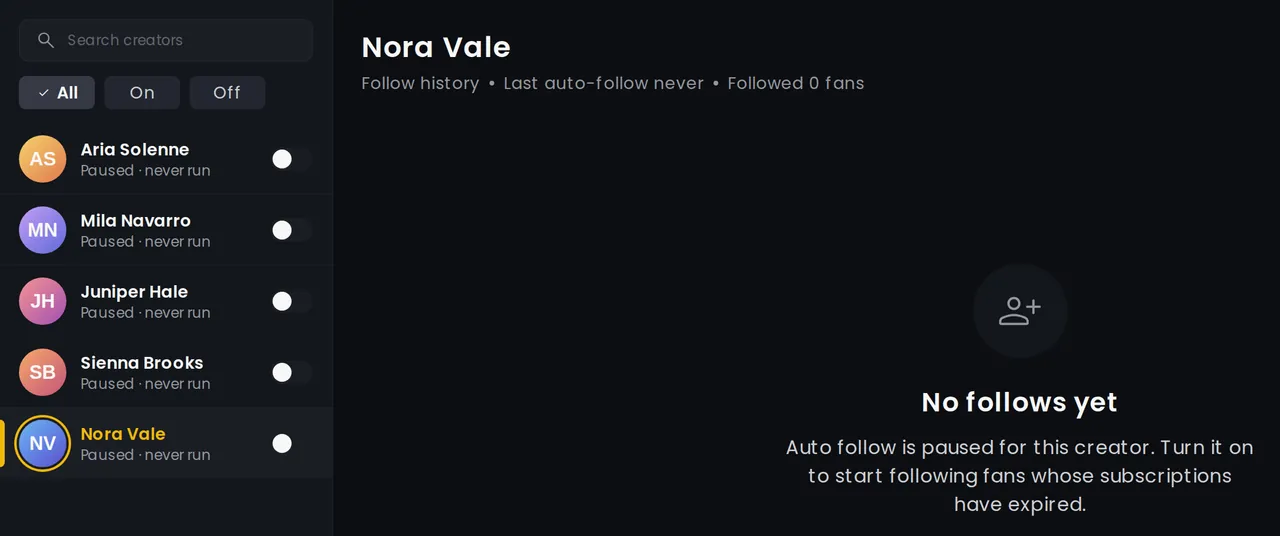
- In the top bar, open Growth → Auto follow.
- Pick the creator in the list on the left.
- Turn on the switch next to her name.
Confirm#
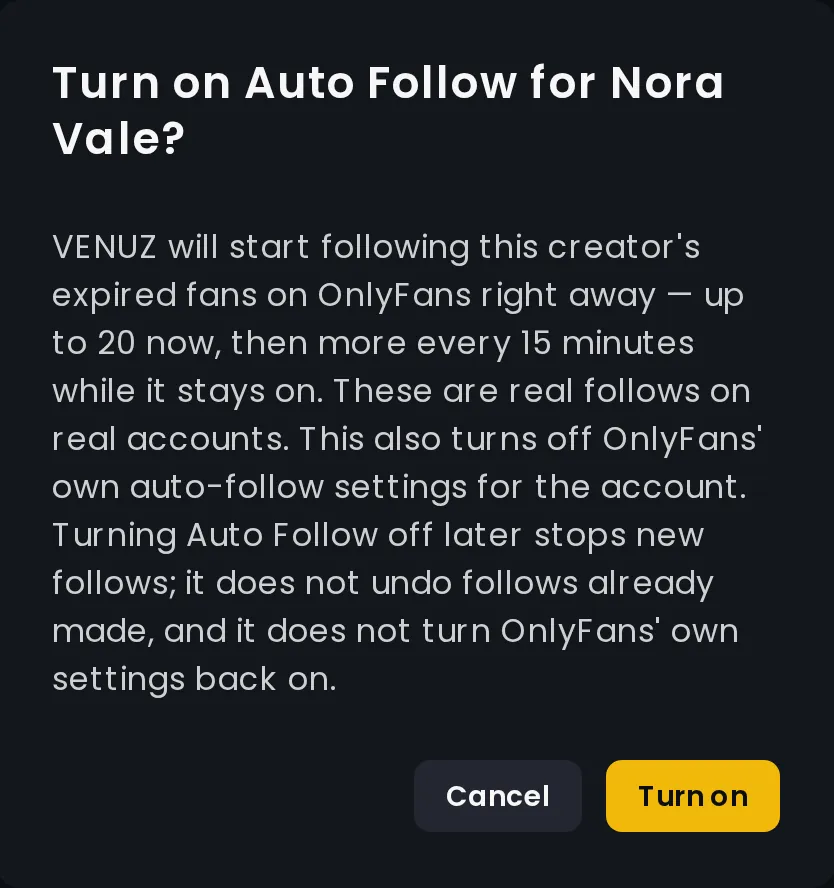
- VENUZ explains what happens next. Click Turn on to start.Turning it on also turns off the auto-follow settings OnlyFans has for that account.
Who it follows#
It skips fans the creator already follows, has blocked or has restricted, and fans OnlyFans doesn’t let her follow for free.
VENUZ follows up to 20 expired fans right away, then more every 15 minutes. A fan whose subscription expires while Auto follow is on is followed as soon as it expires.
Common questions#
Turn it off
Turning Auto follow off stops new follows at once. It does not undo follows already made, and it does not turn the OnlyFans settings back on.
See who was followed
Follow history lists the fans followed for her, with their total spend and expiry date. Follows you make by hand from VENUZ appear there too.
OnlyFans says she reached her daily follow limit
VENUZ waits 6 hours before following again.
The creator shows Disconnected
Auto follow follows no one. It starts again when she is connected.
The switch is grayed out
Turning Auto follow on or off needs the Configure Auto Follow permission.
See every creator at once
Compare all creators shows every creator in one table, each with her own switch.
Where to go next
Couldn’t send that. Try again.
Still stuck?
Write to us and a person from the VENUZ team answers. Tell us the creator and what you were trying to do.