
Start a free trial or discount
Start a free trial or a first month discount on a creator’s OnlyFans profile from Growth → Promotions. It goes live as soon as OnlyFans confirms it.
Before you start
- Who can do this
- Owners and Admins, or anyone with the View analytics & tracking permission to see her promotions, and Manage tracking & promotions to start one
- You need
- The creator’s OnlyFans account connected, so VENUZ can reach OnlyFans
Open her promotions#
- In the top bar, open Growth → Promotions.
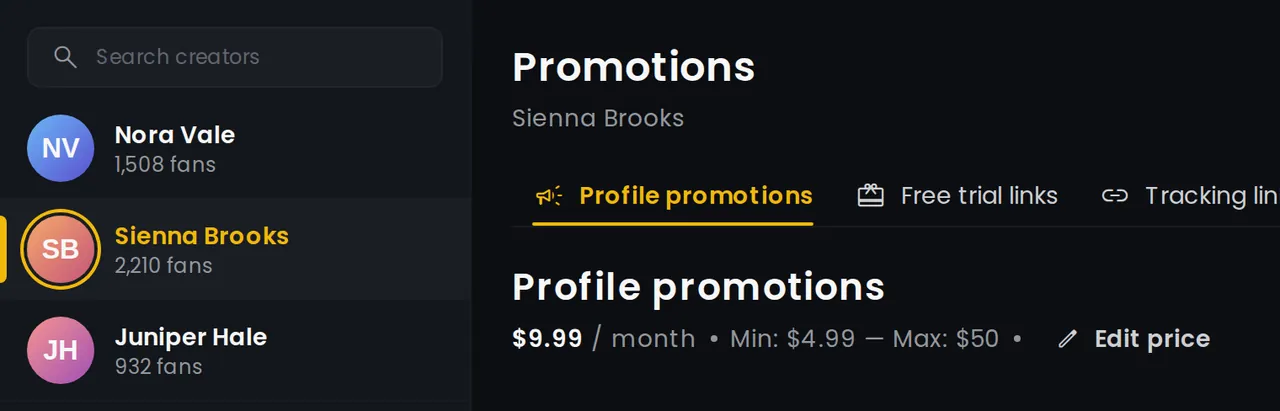
- Pick the creator in the list on the left.Her Profile promotions open, with her subscription price at the top.
- Click New promotion.
Offer a free trial#
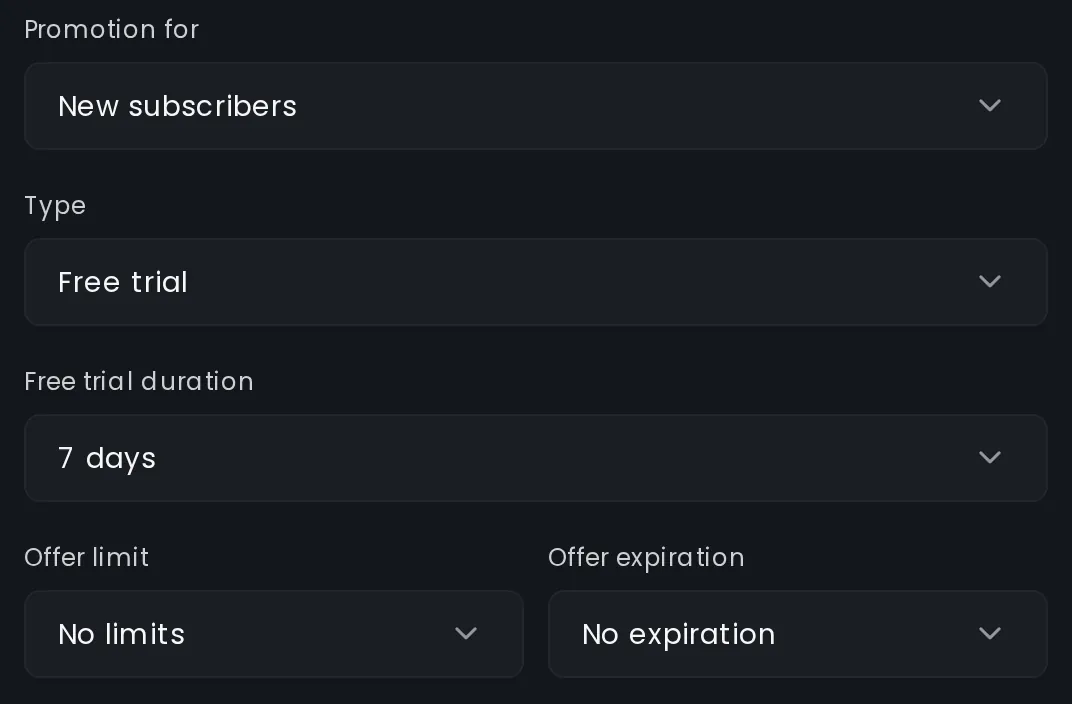
- In Promotion for, choose who gets the offer.New subscribers, expired subscribers or both. New subscribers is chosen to start with.
- Click Type.You can offer a Free trial or a First month discount.
- Pick Free trial, then choose how many days are free in Free trial duration.
- Set Offer limit to cap how many fans can claim it, and Offer expiration to end it after a number of days.With neither, it runs until someone stops it, and VENUZ warns you about that.
Write the message and start it#
- In Message to the fan, write what fans read with the offer.Up to 500 characters. Above it, Promo cost (what the promotion cost you) and Add fans to list (a list for the fans who claim it) are optional.
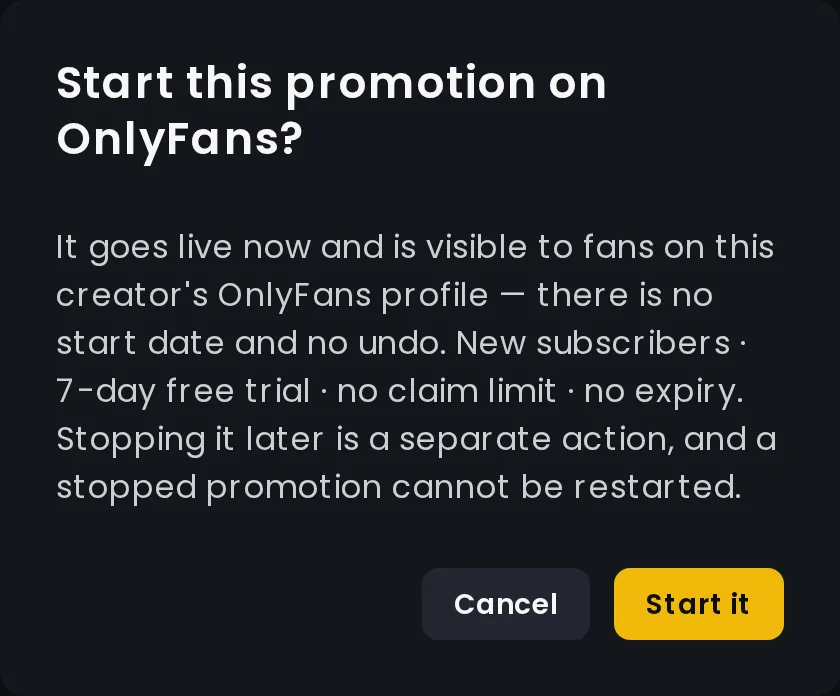
- Click Start promotion.VENUZ asks you to confirm and sums up the offer.
- Click Start it.You see Promotion started on OnlyFans.
Or offer a first month discount#
- For a discount instead, click New promotion again.
- Click Type.Choose who gets it in Promotion for first, as for a free trial.
- Pick First month discount.
- In Discount, choose how much off the first month is.The list only shows the discounts OnlyFans accepts for her price, with what fans pay.
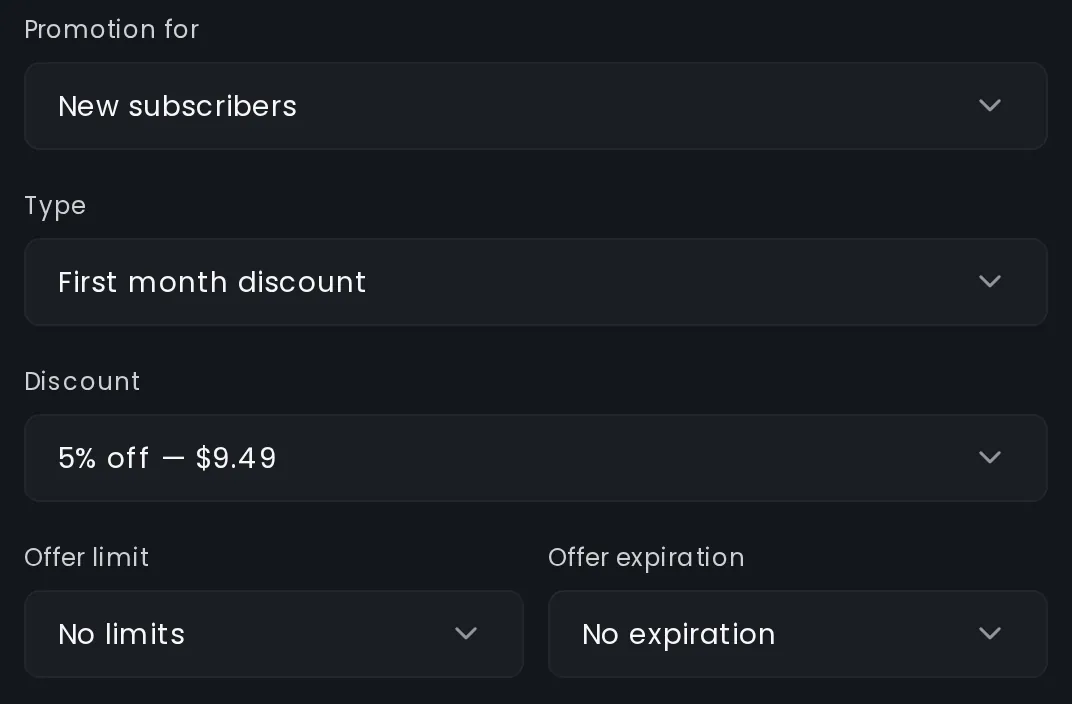
The discounts and the price in the confirmation come from her subscription price, at the top of Profile promotions. If it isn’t showing yet, wait for it before you start a discount.
Start the discount#
- In Message to the fan, write what fans read with the offer.Offer limit and Offer expiration work as for a free trial.
- Click Start promotion.The confirmation shows what fans will pay for the first month.
- Click Start it.
Good to know#
A promotion goes live on her OnlyFans profile as soon as you confirm. There is no start date, and OnlyFans does not let you change it afterwards.
Common questions#
End a promotion early
Use Stop promotion on its card. A stopped promotion can’t be restarted, so start a new one.
Share a free trial on a link
To share it on social media, for example, use the Free trial links tab and New trial link. Fans only see it if you post the link.
Change her subscription price
Click Edit price, next to her price at the top of Profile promotions. It changes on OnlyFans.
Where to go next
Couldn’t send that. Try again.
Still stuck?
Write to us and a person from the VENUZ team answers. Tell us the creator and what you were trying to do.