
How Calypso chats with fans
Calypso replies to each creator’s fans on its own, in her voice, and marks every message it sends. You can follow every chat in the Inbox.
You don’t assign chats or press anything. You can watch every chat in the Inbox and step in whenever you want.
What Calypso does in a chat#
When a fan writes, Calypso decides what to say and VENUZ sends it from the creator’s account. It talks the way you described her in her Profile: Identity, Physical, Voice and personality and Off-limit topics.
It sells PPV messages from her Calypso Library, takes custom requests at or above the minimum set in her Profile → Custom content, and earns tips along the way.
It also keeps chats going. If a fan doesn’t buy a PPV, Calypso may write again on its own. With Poke turned on in the creator’s Automations, it also reaches out to fans who have gone quiet.
Calypso decides when a message needs an answer, so not every fan message gets a reply of its own.
How you can tell Calypso is in a chat#
Open the chat in the Inbox. While Calypso is in charge, the bottom of the chat says Calypso is handling this chat, with a Take over button next to it. Calypso is thinking… at the top of the chat means it’s writing a reply.
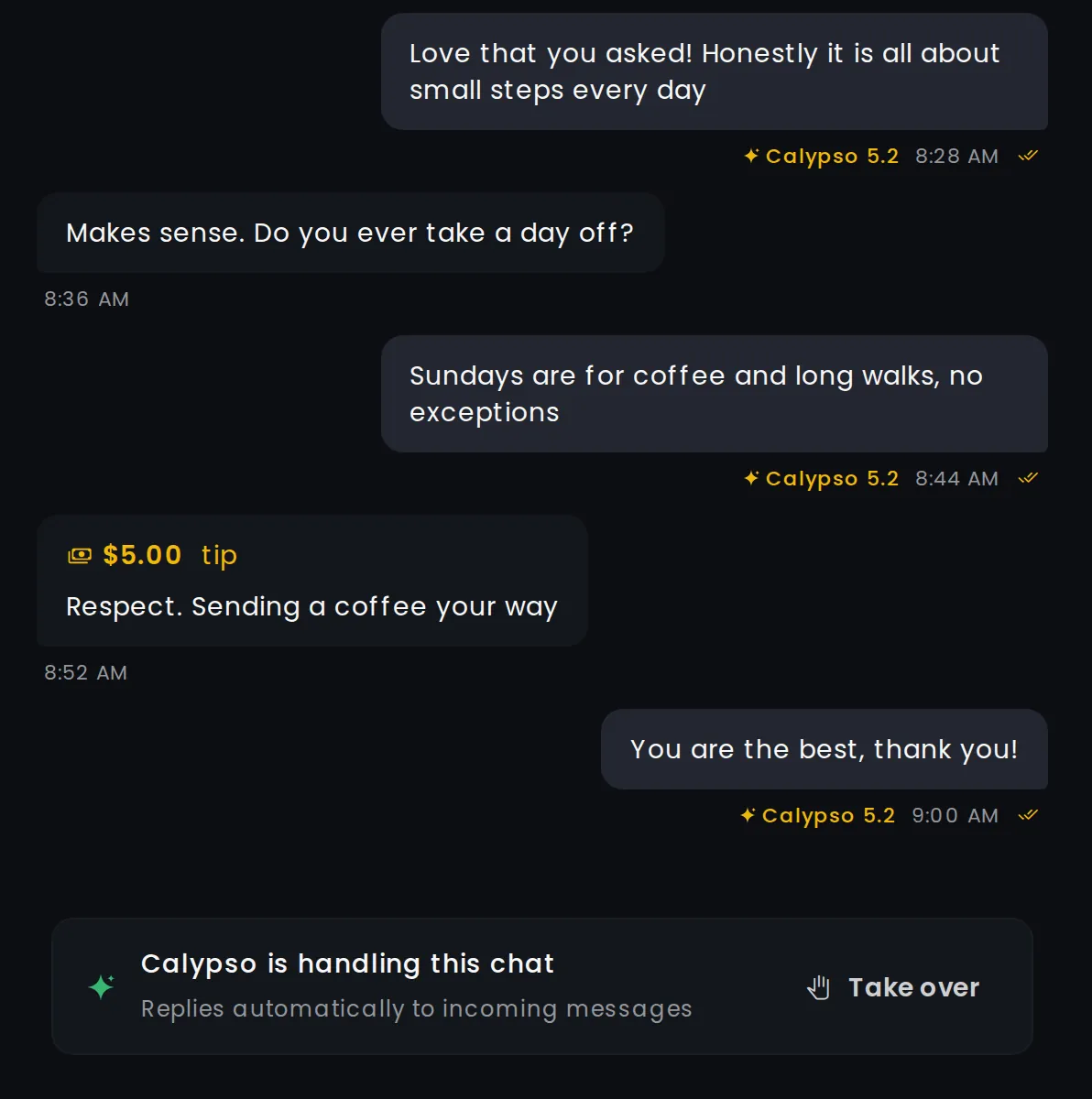
Every message Calypso sends is marked under the bubble:
- Calypso with its version number: a reply, or a follow-up on a PPV the fan didn’t buy.
- Calypso Poke: a message to a fan who went quiet, sent because Poke is on.
- Calypso mass message: a mass message Calypso sent.
Messages your team sends are marked with the person’s name when VENUZ knows who sent them. For many of Calypso’s messages, you can hover over its tag to read why it wrote that. See Why Calypso replied the way it did.
Your role can’t take over. The button says which permission is missing.
What Calypso knows about a fan#
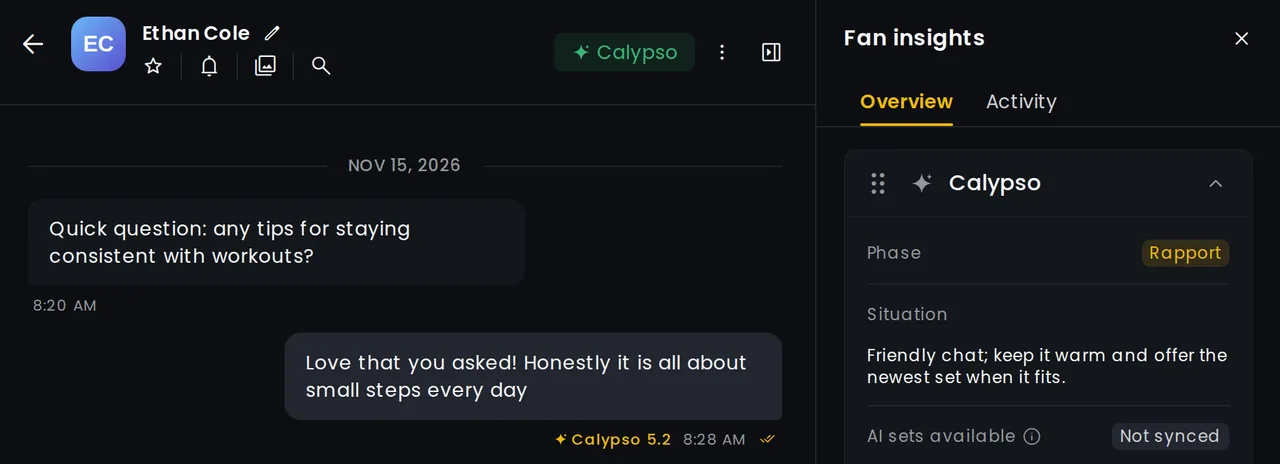
Open Fan insights with the panel button at the top of the chat. On a wide screen it’s already open. If your role can see Calypso’s status, the Calypso card shows:
- Phase: the stage of the chat, such as Rapport, Selling or Aftercare.
- Engagement and Situation, when Calypso has shared them.
- Calypso sets available: content Calypso still has to send this fan, out of the creator’s library.
If your role can see fan profiles, the Fan memory card further down collects what Calypso has learned about this fan.
When Calypso steps back#
- You take over. Calypso stops replying in that chat right away and doesn’t come back on its own. See Take over a chat and hand it back.
- A chat needs a person. Calypso hands it to your team and alerts you. See When Calypso hands a chat to a person.
- OnlyFans won’t let you message the fan. Calypso doesn’t write there either.
Calypso only chats for creators you’ve turned it on for, and only while their account is Connected. To switch it on or off, see Turn Calypso off for a creator, and back on.
To change how Calypso talks to a creator’s fans, edit her Profile. To keep some fans for your team, use Filter in her Automations.
Where to go next
Couldn’t send that. Try again.
Still stuck?
Write to us and a person from the VENUZ team answers. Tell us the creator and what you were trying to do.