
Send certain fans to your team (Routing)
Each creator has a filter. Fans who match it go to your Master Inbox for your team, and every other fan stays with Calypso.
Before you start
- Who can do this
- Owners and Admins, or anyone with the Manage Calypso’s filter permission. Without it, you can see the filter but not change it
Open the Routing card#
- In the top bar, open Growth → Automations.
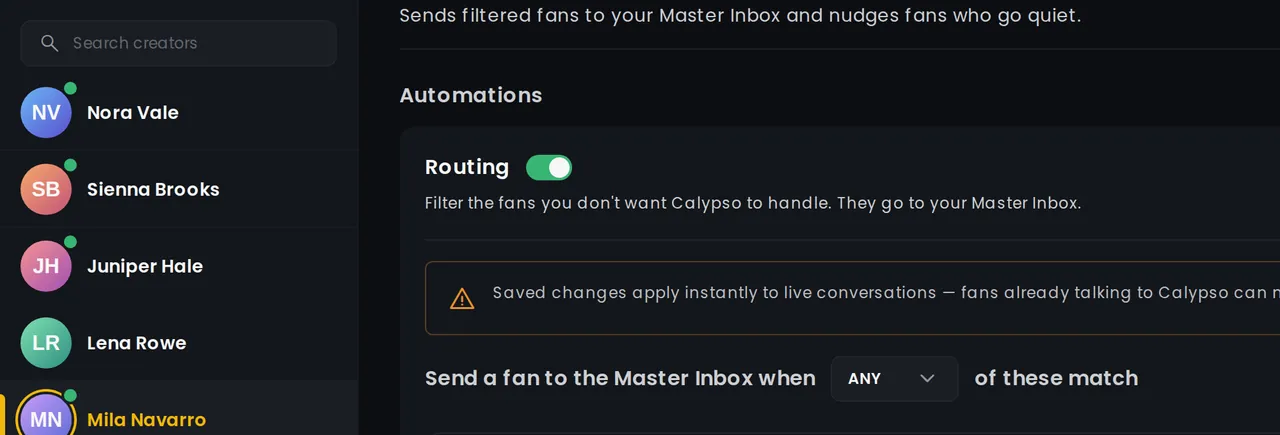
- Pick the creator in the list on the left.Each creator has her own filter.
- The Routing card reads Send a fan to the Master Inbox when any or all of your groups match.Fans who match go to your team. The rest stay with Calypso. On the creator’s own page, the same filter is Automations → Filter.
Add a rule#
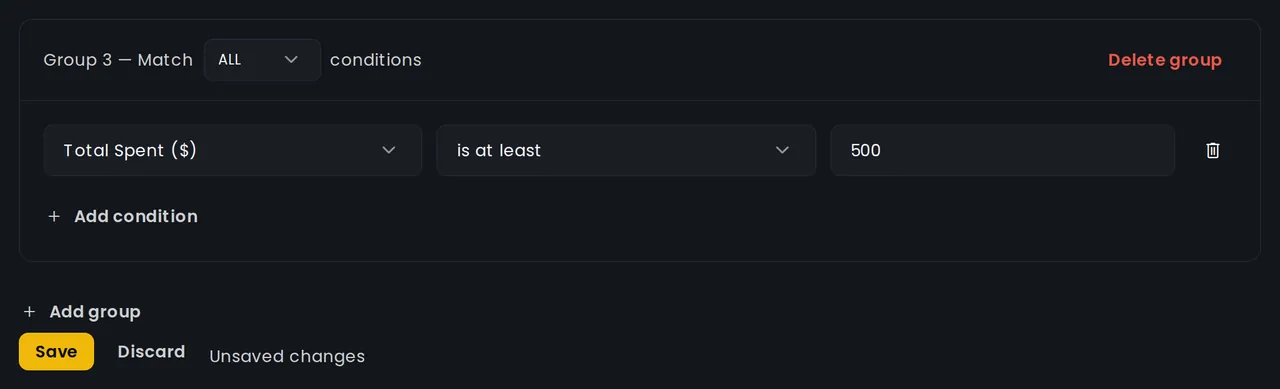
- Click Add group to add a new rule.The new group starts with Total Spent ($) and is at least.
- Type the amount in the last box of the new group.Fans who have spent at least that much with her now match the filter.
Save it and keep it on#
- Click Save.You see Filter saved.
- Check that the switch next to Routing is on.Saving keeps the switch as it was, and the filter only works while it is on.
Good to know#
A fan already talking to Calypso moves to your Master Inbox on their next message, if they match.
Fans who match go to the Master Inbox and Calypso stops replying to them.
Common questions#
Keep one fan with Calypso or with your team
In the Inbox you can pin a fan with Pin to Calypso or Pin to your team. The pin wins over the filter until you choose Unpin.
Turn Routing off
Turning the Routing switch off gives the fans it was keeping away back to Calypso on their next message. VENUZ asks you to confirm first.
Check the filter before you save
Under the filter, VENUZ writes it out in words. Live preview shows where some of her chats would go with your changes.
How big a filter can be
Up to 10 groups, each with up to 10 conditions.
Where to go next
Couldn’t send that. Try again.
Still stuck?
Write to us and a person from the VENUZ team answers. Tell us the creator and what you were trying to do.