
Charge different prices in one PPV
In a mass PPV, give each list its own price and save the rows as price tiers to reuse them. A fan in several lists gets the price of the first row they match.
Before you start
- Who can do this
- Owners and Admins, or anyone with the Send mass messages, Send media in chat and Send paid content (PPV) permissions, the same as for any mass PPV
- Works on
- A computer or a tablet
Open the PPV tab#
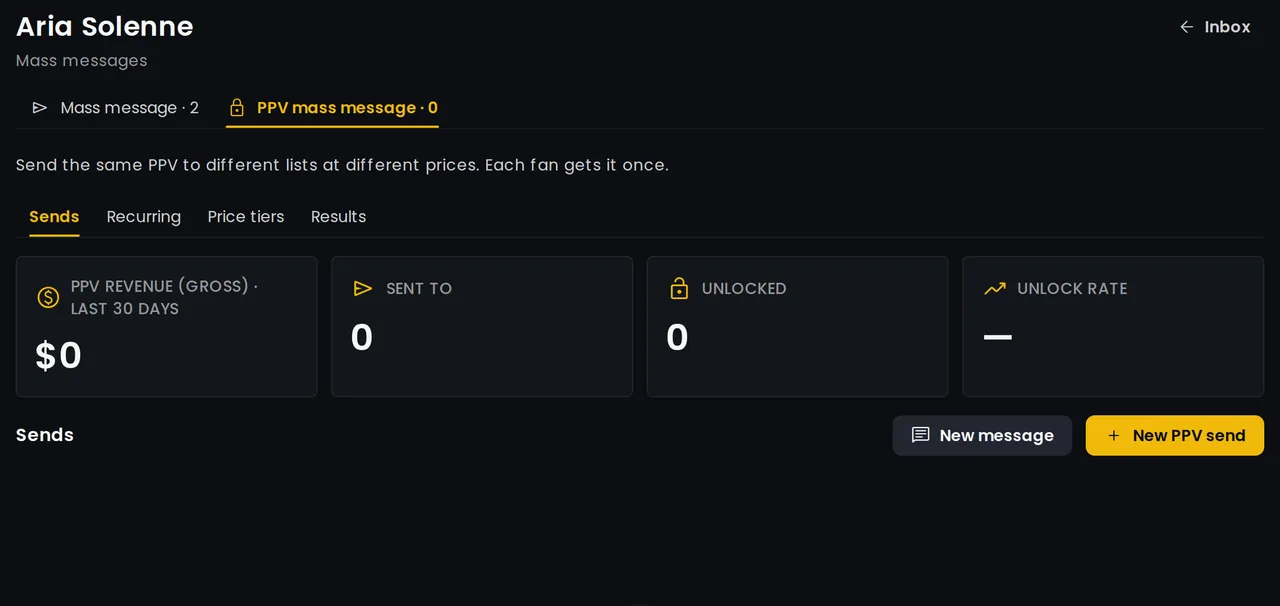
- In the top bar, open Growth → Mass messages.
- Pick the creator in the list on the left.
- Open the PPV mass message tab.
Start a PPV send and pick its lists#
- Click New PPV send.
- Pick the set you want to sell.
- Click Continue.
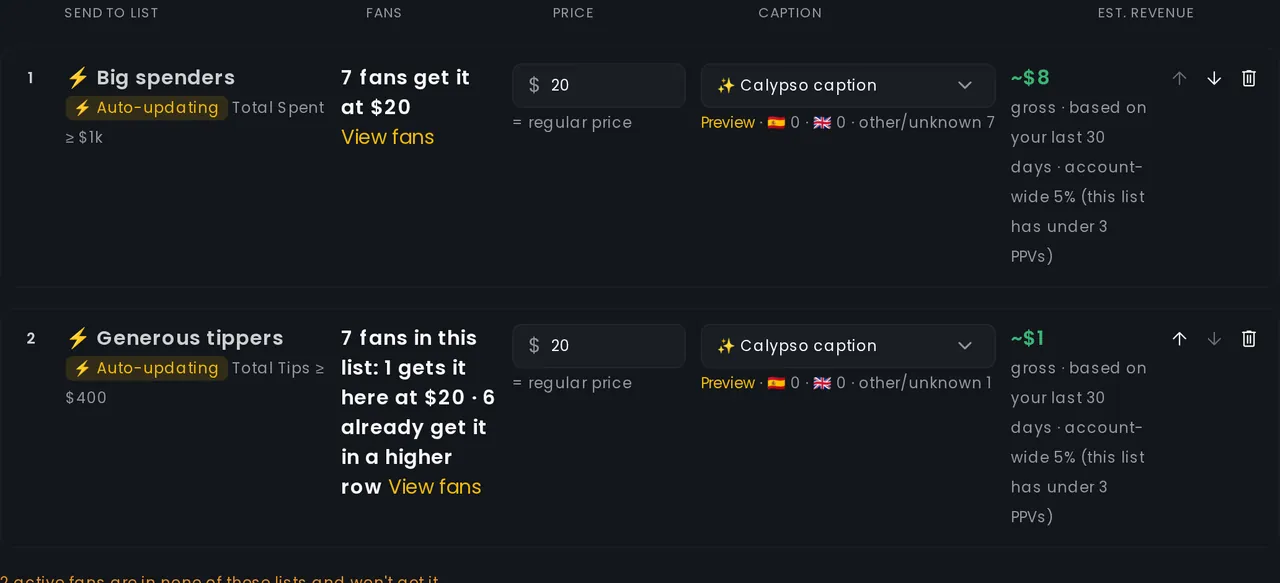
- In the Send to tab, pick your best-paying list first.It becomes the top row, at the regular price. If you have saved price tiers, you can pick one above instead.
- Pick the next list.Each list you pick becomes a new row, under the ones above. To reach everyone else, end with All active fans.
Give each row its price#
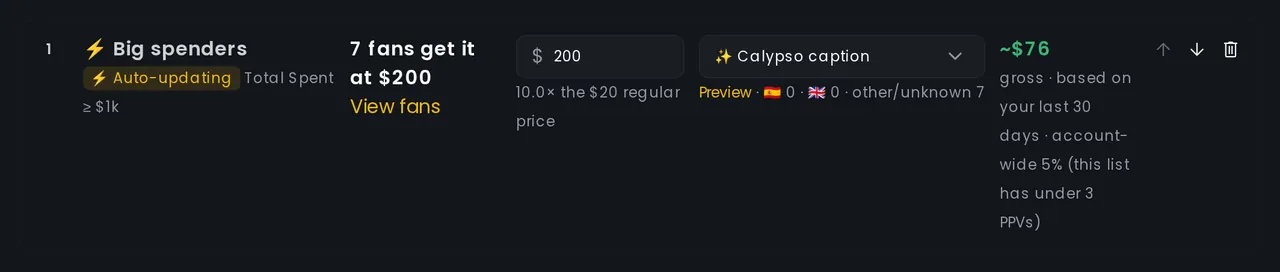
- Type a price in each row, in whole dollars from $3 to $200.Under it, VENUZ shows it as a multiple of the regular price. Each row also shows how many fans get it at that price.
- Read How it works, under the rows.Each row is one OnlyFans mass message to one list at one price. The top row goes first, and each row leaves out the lists above it.
Save them as price tiers#
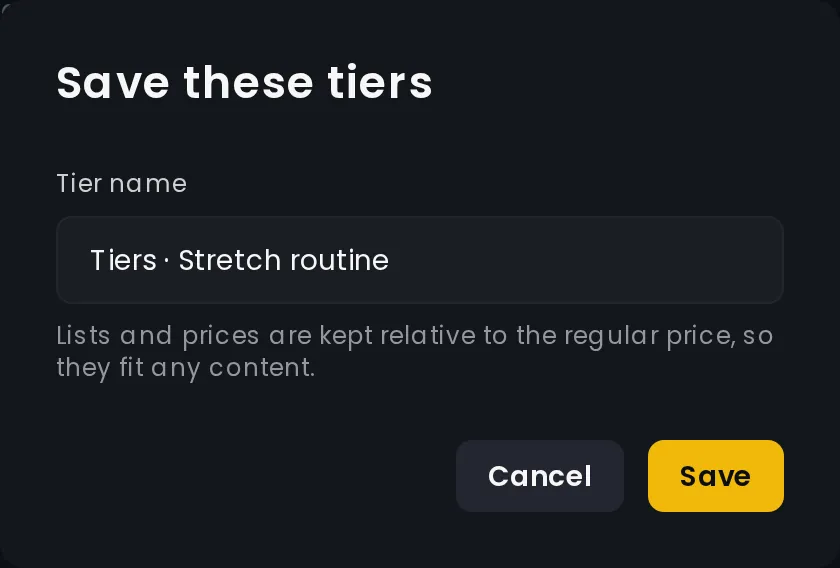
- Click Save these tiers and give them a Tier name.
- Click Save.Prices are saved relative to the regular price, so the tiers fit any of this creator’s sets.
- Click Continue and finish the send as usual.Choose when it goes out, check the review and confirm.
Good to know#
A fan in more than one list
They are offered the price of the first row they match.
A row shows a dash instead of a number of fans
OnlyFans doesn’t share who is in that list.
A caption for each row
Each row can use a caption written by Calypso or your own. Calypso writes it only when Calypso is on for this creator.
Common questions#
How many rows a send can have
Up to 20 rows.
Use your saved tiers
Your saved tiers are in the Price tiers tab. Use for a send opens a new PPV send with them.
VENUZ asks for another name
A price tier with that name already exists. Pick another name.
Where to go next
Did this answer your question?
Sorry about that. What went wrong?
Couldn’t send that. Try again.
Still stuck?
Write to us and a person from the VENUZ team answers. Tell us the creator and what you were trying to do.