
What Calypso can and can’t do
Calypso chats, sells PPV and customs, earns tips and reaches out to quiet fans. It stops when you turn it off, the account disconnects or a payment is due.
What Calypso does#
| Calypso… | Where you control it |
|---|---|
| Chats with the creator’s fans in her voice | Profile: Identity, Physical, Voice and personality |
| Sells PPV messages from her content | Calypso Library |
| Takes custom requests at her prices | Profile → Custom content |
| Earns tips in its chats | Nothing to set |
| Reaches out to fans who have gone quiet | Automations → Poke (Daily cap, Follow up if ignored) |
| Stays away from topics she won’t talk about | Profile → Off-limit topics |
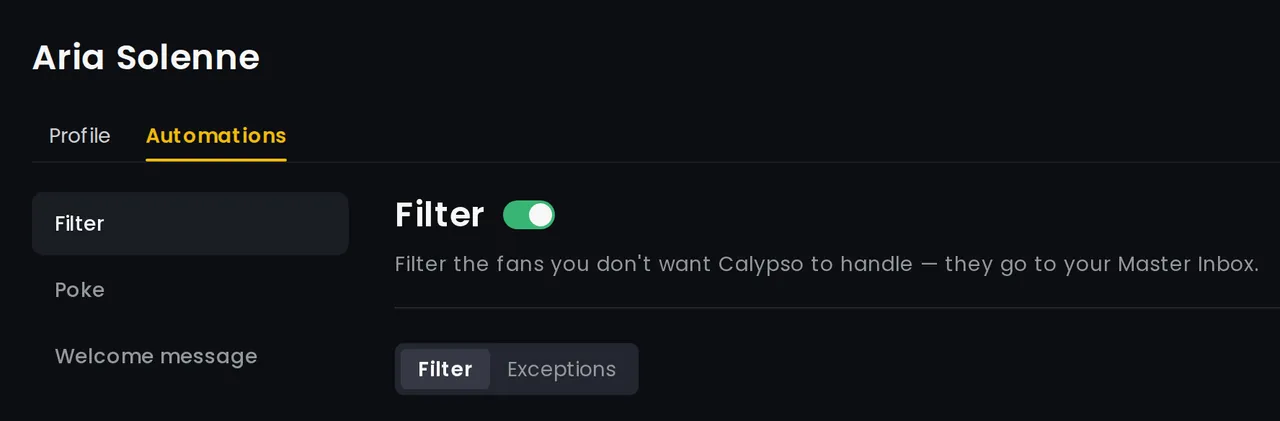
| Leaves some fans to your team | Automations → Filter (Filter, Exceptions) |
| Hands a chat to your team when it needs a person | It does it on its own. You see it under Handed to your team |
What Calypso doesn’t do#
- It isn’t a copilot. It doesn’t suggest replies for your team to send, and it doesn’t translate or rewrite your messages.
- It never replies in a chat you’ve taken over, and it doesn’t come back on its own. Someone on your team hands the chat back, for example with Resume Calypso.
- It doesn’t write to a fan that OnlyFans won’t let you message.
- It doesn’t work for a creator you haven’t turned it on for.
What makes Calypso stop#
| What happens | What Calypso does | What you do |
|---|---|---|
| You turn Calypso off with her Calypso button | Stops for that creator. The button reads Calypso Off | Click the button to turn it back on |
| The account shows Disconnected | Can’t send messages until the account is connected again. If the account shows Log in again and stays that way for more than 60 minutes, Calypso turns off for that creator | Reconnect the account. If Calypso turned off, turn it back on with her Calypso button |
| You disconnect her OnlyFans account | Turns off for her right away | Connect her account again, then turn Calypso back on |
| A payment from your agency to VENUZ stays unpaid | Stops for every creator | Pay it in Billing & usage. Calypso comes back once it’s paid |
What Calypso needs before it can start#
- The creator’s OnlyFans account linked and Connected.
- Her Profile filled in, with reference photos.
- Enough sets ready to sell in her Calypso Library, the first time you turn Calypso on for her. Checklist: before Calypso starts has the numbers.
- Your agency’s billing set up. If it isn’t, the button tells you what to add.
The Calypso button tells you what’s missing
Until all of these are in place, the Calypso button on her page shows the next thing that’s missing.
Where to go next
Overview · 2 min readWhat Calypso is and how it sells for youOverview · 3 min readSet up your first creatorReference · 4 min readGlossary: the words VENUZ uses
Did this answer your question?
Sorry about that. What went wrong?
Couldn’t send that. Try again.
Still stuck?
Write to us and a person from the VENUZ team answers. Tell us the creator and what you were trying to do.