
The automations side by side
Five automations work for each creator without anyone pressing a button: Welcome message, Poke, Routing, Auto follow and mass message automations.
What each automation does#
| Automation | What it does | When it acts | Where you set it |
|---|---|---|---|
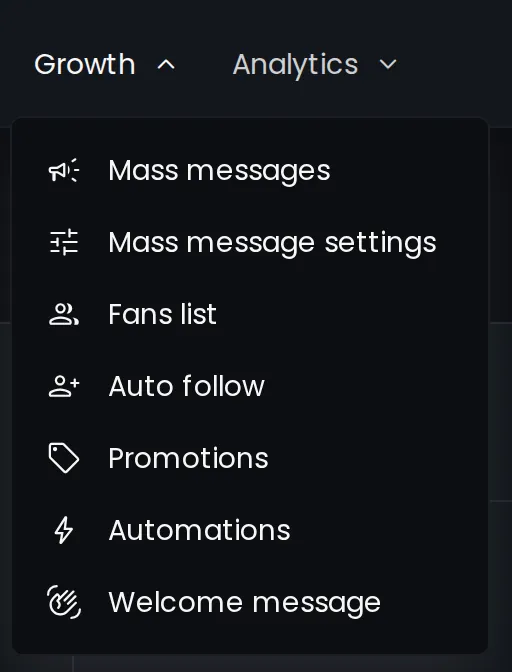
| Welcome message | Greets a new fan with the OnlyFans instant message, a VENUZ welcome sequence, or both | When a fan subscribes | Growth → Welcome message |
| Poke | Calypso messages a fan who went quiet | When a quiet fan comes back online | Growth → Automations, card Poke |
| Routing | Keeps the fans you choose away from Calypso and sends them to your Master Inbox | While it’s on, for every fan who matches your filter | Growth → Automations, card Routing |
| Auto follow | Follows the creator’s expired fans on OnlyFans | Up to 20 expired fans at once, then more every 15 minutes. A fan whose subscription expires while it’s on is followed as soon as it expires | Growth → Auto follow |
| Recurring mass messages | Sends a mass message or a mass PPV on a schedule | On the schedule you pick | Created in Growth → Mass messages, listed in Growth → Mass message settings |
What you can change#
| Automation | What you choose |
|---|---|
| Welcome message | The OnlyFans message and its price. For the sequence: each step’s message, price, media and wait, from 15 to 600 seconds, with up to 20 steps |
| Poke | Message to online fans, Daily cap, Minimum idle time, Follow up if ignored and Auto-unsend unanswered |
| Routing | The creator’s filter, which decides which fans go to your team |
| Auto follow | On or off. There’s nothing else to set |
| Recurring mass messages | Pause, resume or delete one in Mass message settings. Everything else, in Mass messages |
Turning them on and off#
- Turning on Poke (with Message to online fans on) or Auto follow asks you to confirm first, because they message or follow real fans right away.
- Turning Poke or Auto follow off is instant, with no question.
- Turning Routing off asks you to confirm, because the fans it was keeping away go back to Calypso.
- A new welcome sequence starts paused. It sends nothing until you click Activate sequence.
- To stop Calypso for a creator altogether, see Turn Calypso off for a creator, and back on.
Step by step#
Where to go next
Video · 1:02Set up a welcome messageHow-to · 2 min readNudge quiet fans with PokeHow-to · 2 min readTurn on Auto follow for expired fans
Did this answer your question?
Sorry about that. What went wrong?
Couldn’t send that. Try again.
Still stuck?
Write to us and a person from the VENUZ team answers. Tell us the creator and what you were trying to do.