
Why Calypso replied the way it did
Hover over the Calypso tag under one of its messages to read Calypso’s reasoning: a short note on why it wrote what it wrote.
Every message Calypso sends carries a tag under the bubble. When Calypso left a note with the message, that tag also holds its reasoning: a short explanation, written by Calypso, of why it wrote what it wrote. It’s the quickest way to understand a reply that surprised you.
Where to find it#
- Open a chat in the Inbox, in Conversation or in Master.
- Find a message Calypso sent. Under the bubble, next to the time, there’s a Calypso tag with its version number, or a Calypso Poke tag.
- Hover over the tag with your mouse. A box titled Calypso reasoning opens with the note. On a phone or tablet, tap the tag instead, and tap anywhere else to close it.
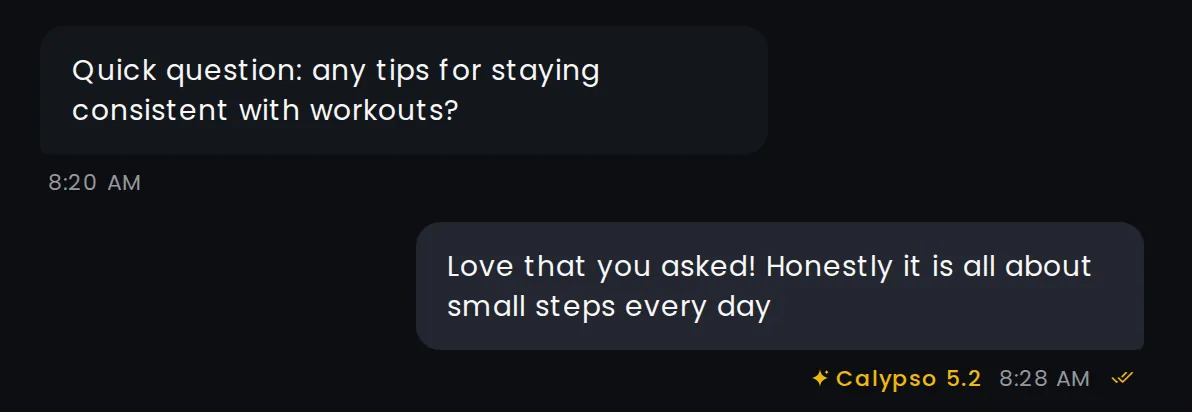
When a tag has reasoning, your mouse pointer changes as you move over it.
It opens with a mouse or a tap.
Which messages have it#
Calypso’s own messages, when it left a note: its replies to a fan and its Calypso Poke messages. These never have it:
- Messages marked Calypso mass message.
- Messages your team sent.
Not every Calypso message comes with a note. When there isn’t one, the tag looks the same, but nothing opens.
Anyone on your team who can open the chat. There’s no separate permission for it, and the fan never sees it.
How it differs from Fan insights and Calypso summary#
Calypso reasoning
Explains one message.
Fan insights
How things stand with this fan, in the panel you open from the top of the chat.
- The Calypso card shows the chat’s Phase, if your role can see Calypso’s status.
- The Fan memory card shows what Calypso has learned about the fan, if your role can see fan profiles.
Calypso summary
Why Calypso passed a chat to your team. It appears in Master, on a chat Calypso handed to your team. See Use the Master Inbox across all creators.
What you can do with it#
Reasoning is read-only. You can’t edit it or reply to it. If a reply isn’t what you want:
- Click Take over to answer the fan yourself, if your role can take over. See Take over a chat and hand it back.
- Change what Calypso works from in the creator’s Profile, for example Voice and personality or Off-limit topics.
Where to go next
Couldn’t send that. Try again.
Still stuck?
Write to us and a person from the VENUZ team answers. Tell us the creator and what you were trying to do.