
Choose which alerts reach you
In My profile → Notifications, pick each alert you want and where it reaches you: in the app, in the browser, by email or on Telegram.
Before you start
- Who can do this
- Anyone on your team, for their own alerts. Your team doesn’t see your settings, and nothing changes for them
Open your notifications#
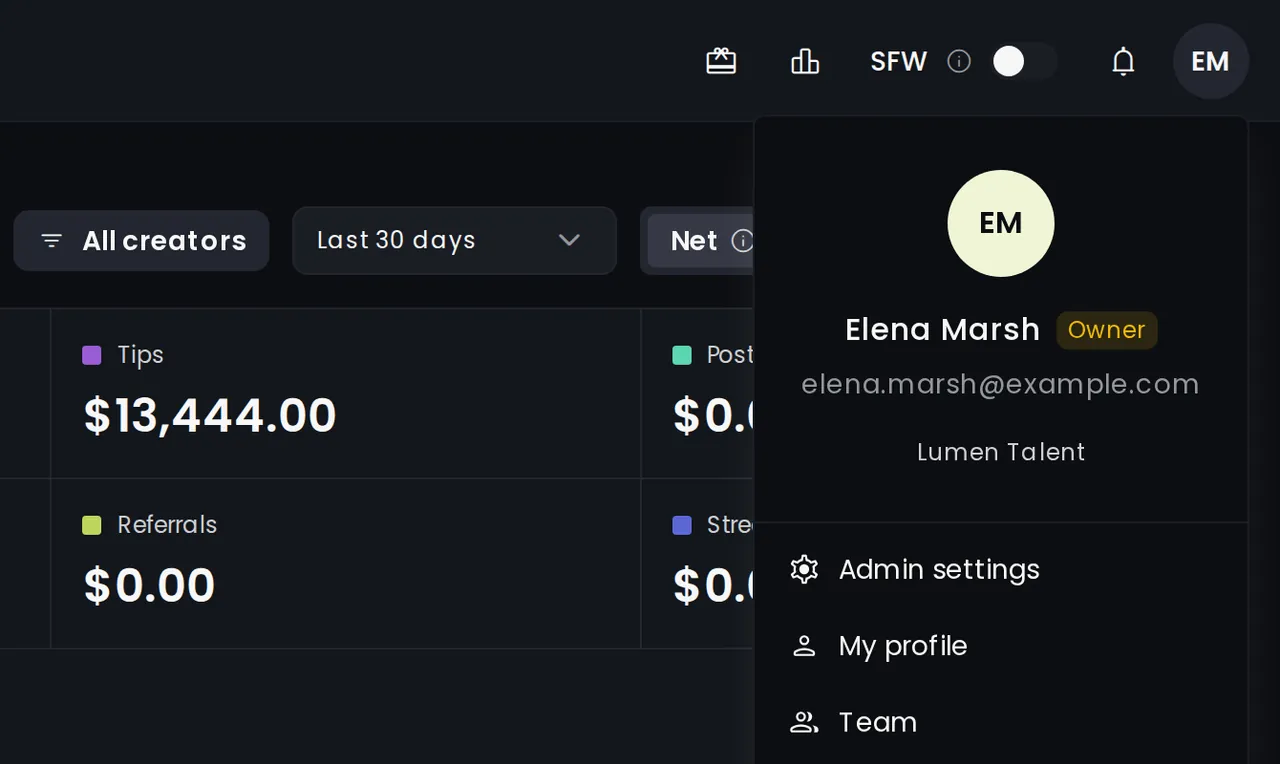
- Click your picture or initials in the top right corner.
- Click My profile.
- Open Notifications.
Turn an alert on or off#
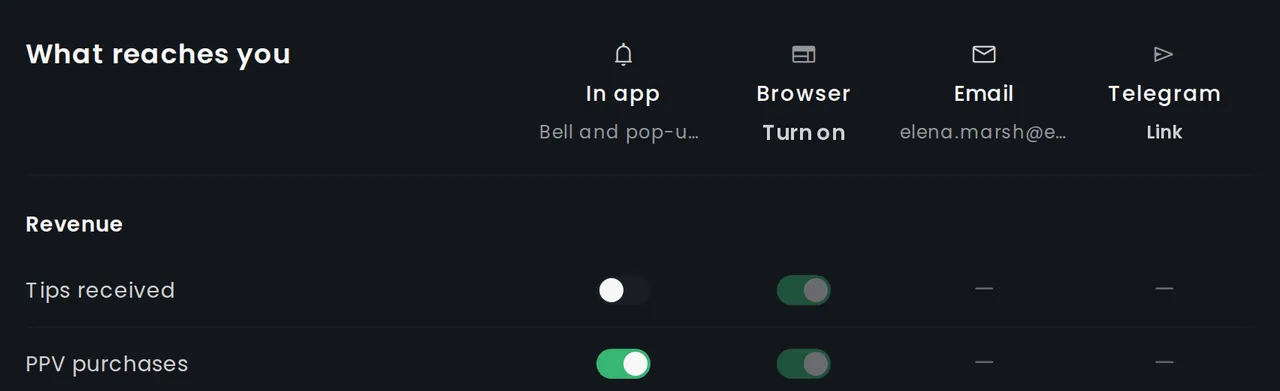
- Find the alert in the What reaches you table.Each row is an alert, and each column a place it can reach you: In app, Browser, Email and Telegram.
- Click its switch in a column to turn it on or off there.VENUZ saves it right away and confirms it, for example Tips received — In app turned off.
- Changed your mind? Click Undo in that notice.
Pause them for a while#
- To pause pop-ups, sounds and browser alerts, turn on Do not disturb.It stays on until you turn it off. The bell still collects your alerts.

Good to know#
Creator disconnected and Payment failed always show in the app, so you never miss them. You can still choose whether they reach your browser or Telegram.
They never reach you, even if their switch is on. In the Telegram column they show a dash.
Common questions#
Get alerts by email
Email is available for Daily sales summary, New custom order, Custom order updated and Custom order overdue. Only Owners and Admins receive these emails. Daily sales summary only comes by email, and it starts off.
Turn on browser alerts
Click Turn on at the top of the Browser column and allow them in your browser, once. They appear when VENUZ isn’t the window you’re looking at.
The Browser column says Blocked
Allow notifications for venuz.ai in your browser’s site settings and reload the page.
Get alerts on Telegram
The Telegram column works once you link your Telegram. Only some alerts can go there.
Start over
Reset to defaults puts every alert back to its starting setting. It doesn’t change Do not disturb.
Where to go next
Couldn’t send that. Try again.
Still stuck?
Write to us and a person from the VENUZ team answers. Tell us the creator and what you were trying to do.