
Turn Calypso off for a creator, and back on
One switch stops Calypso from replying to every fan of a creator, and turns it back on when you’re ready. Her settings stay as they are.
Before you start
- Who can do this
- Owners and Admins, or anyone with the Turn Calypso on/off and Monitor Calypso permissions
Turn Calypso off#
- In the top bar, open Growth → Automations.
- Pick the creator in the list on the left.
- Turn off the switch next to her name.Calypso stops replying to all her fans right away, and you see Calypso is off for this creator.
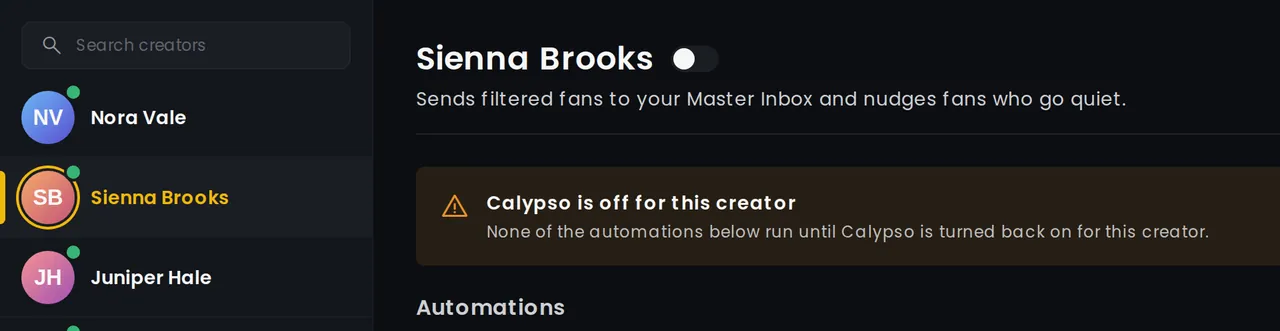
Click the gear icon at the top right and open Creators. On her card, click Calypso On: Calypso stops replying to her fans. Click it again to turn Calypso back on.
Turn it back on#
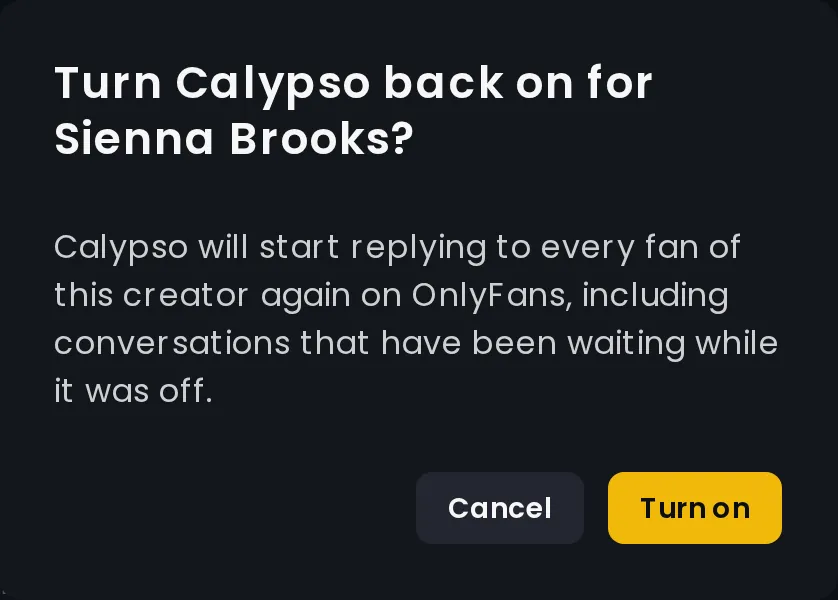
- When you want Calypso back, click Turn on in that notice.Turning the switch back on does the same.
- Confirm with Turn on.Calypso is on again for her.
Decide about the fans who are waiting#
- VENUZ asks about Unanswered messages. Click Reply to unread messages if Calypso should answer the fans who are waiting now, or Don’t reply.
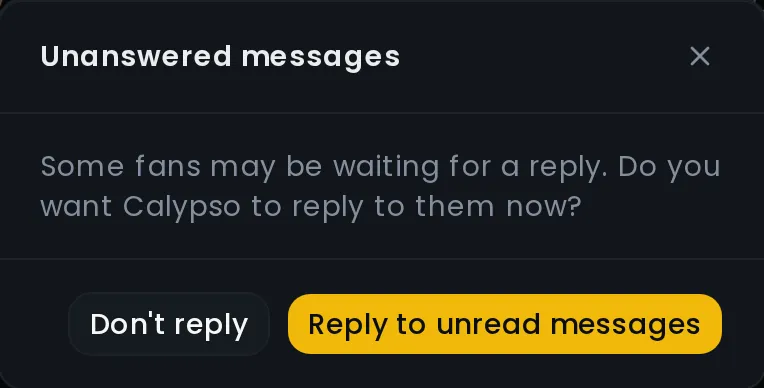
It only shows if you have the Make Calypso message fans now permission.
Good to know#
While Calypso is off for a creator, her chats with a fan waiting for a reply go to Master. Open the Inbox, click Master and then Calypso off to answer them.
Turning Calypso off doesn’t change her settings, her filter or her content.
Common questions#
Calypso doesn’t turn back on
Something Calypso needs is missing, for example a payment method. VENUZ lists what to fix instead.
A chat still shows Safety block
Turning Calypso back on doesn’t end a Safety block. The note above the message box says why and for how long, and your team can still reply.
The switch is grayed out
Turning Calypso on or off needs the Turn Calypso on/off permission. The switch tells you why it is grayed out.
Turn it off from the Creators page
Click the gear icon at the top right, open Creators and use the Calypso On or Calypso Off button on her card or on her page.
Where to go next
Couldn’t send that. Try again.
Still stuck?
Write to us and a person from the VENUZ team answers. Tell us the creator and what you were trying to do.