
Tag the creators who appear in your media
Tag the other creators who appear in a photo or video. VENUZ saves the tags and adds them on OnlyFans when the photo or video is sent.
Before you start
- Who can do this
- Owners and Admins, or anyone with the View release forms permission to see tags, and Manage release forms to add or hide them
Open the photo or video#
- In the top bar, open Content → OF Vault.
- Pick the creator in the list on the left.It lists only connected creators.
- Click a photo or video to open its details.

Tag who appears in it#
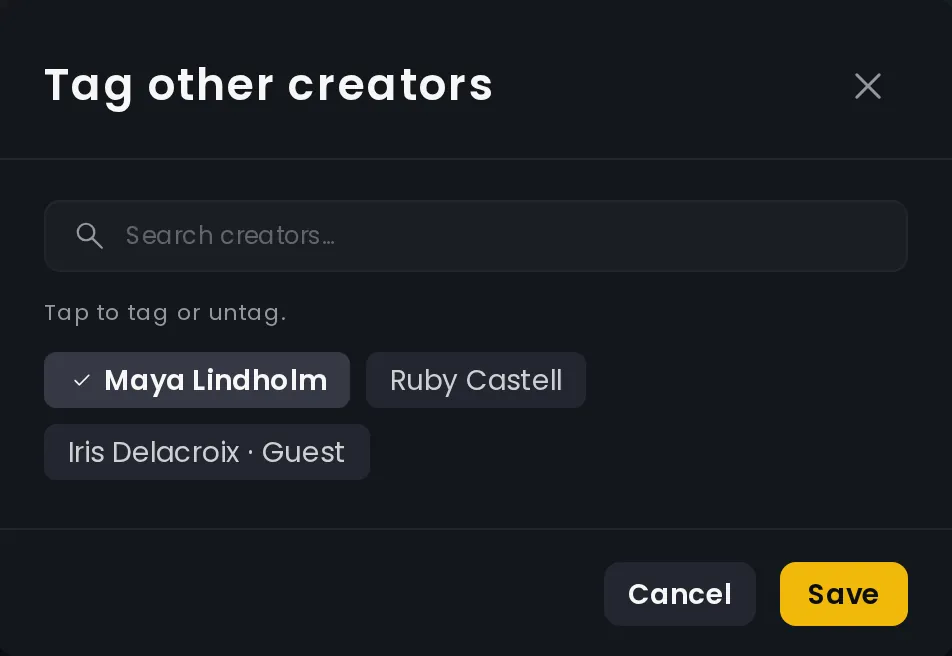
- Scroll down to Tagged creators and click Tag a creator.
- Click each person who appears in the photo or video.The list comes from OnlyFans: it shows the people this creator can tag there, and you can search it.
- Click Save.The tag shows under Tagged creators.
Good to know#
OnlyFans asks you to tag the other creators who appear in a photo or video. If a tag is missing, OnlyFans can hold the message back, and the fan doesn’t see it until you add the tag.
A Mass PPV with that media isn’t sent until the person is also tagged on OnlyFans, or until you hide the tag in VENUZ. In Calypso Library, the set shows Tags not on OnlyFans.
Its details say This media may show another person. With the Manage release forms permission, you also see Tag a creator and No other person. No other person hides the notice for good. It’s only a notice. Calypso still sells the set.
Common questions#
Tag a creator is grayed out
Adding or hiding tags needs the Manage release forms permission.
Hide a tag
Click the cross on it. VENUZ stops adding it on OnlyFans, and it shows crossed out with Restore. Clearing someone in the Tag a creator list and clicking Save does the same.
Read the tags from OnlyFans again
Refresh from OnlyFans reads the tags of this media from OnlyFans again, and removes tags that came from OnlyFans and are no longer there.
Tag media from Calypso Library
You can open a photo or video from Calypso Library too. Its details have the same Tagged creators section.
It says No tags saved in VENUZ for this media
VENUZ has no tags saved for it. Click Tag a creator to add the people who appear in it.
Where to go next
Couldn’t send that. Try again.
Still stuck?
Write to us and a person from the VENUZ team answers. Tell us the creator and what you were trying to do.