
What Calypso is and how it sells for you
Calypso is the AI in VENUZ. It chats with each creator’s fans on OnlyFans in her voice, to sell PPV and customs and earn tips.
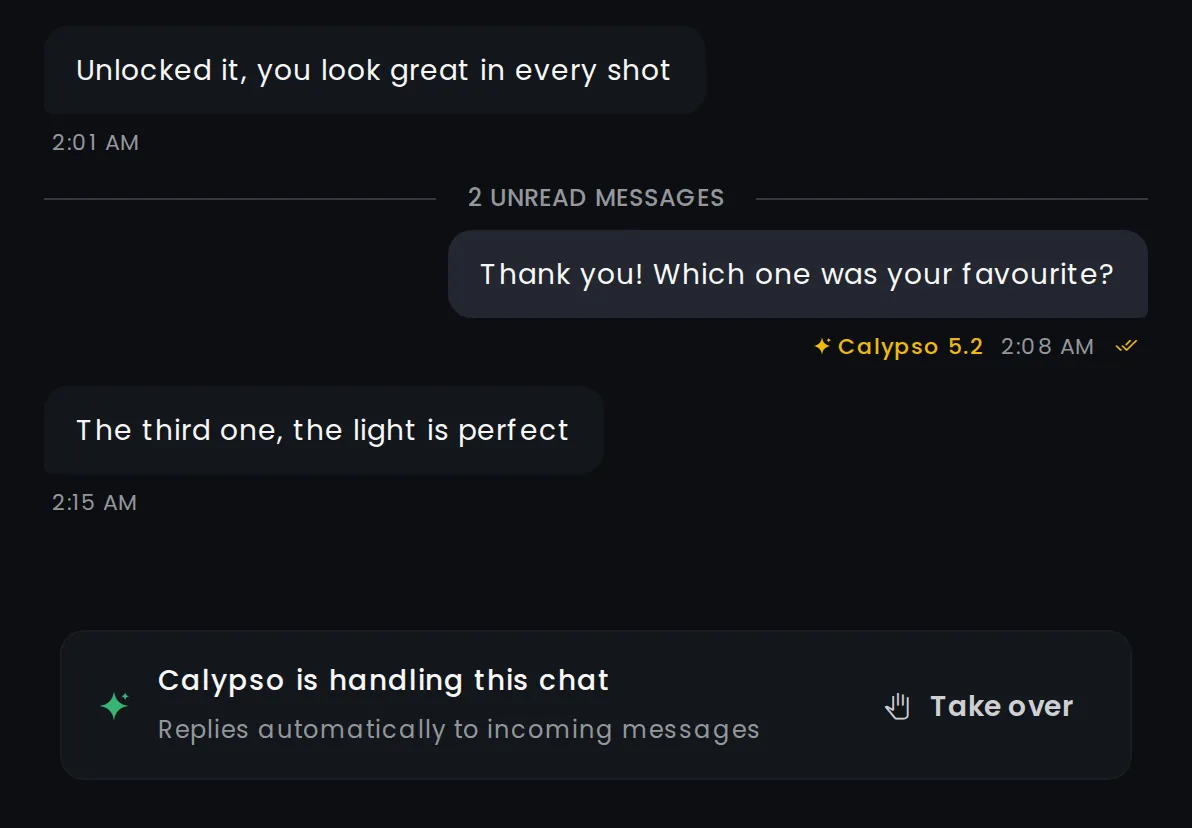
You set Calypso up for each creator, you can watch it work in the Inbox, and your team can step in on any chat at any moment.
How Calypso sells#
Calypso reads each fan’s history and replies the way the creator would, using what you wrote in her Profile: who she is, how she talks and what she won’t talk about.
It sends PPV messages from her content, takes custom requests at her prices from Custom content, and earns tips along the way.
It also keeps the chat going. If a fan doesn’t buy a PPV, Calypso follows up on its own. With Poke turned on in the creator’s Automations, it reaches out to fans who have gone quiet, within the daily cap you set.
What you control#
When it works
Each creator has her own Calypso button: Calypso On or Calypso Off. You can turn it off whenever her account is Connected.
Who it talks to
The filter, in the creator’s Automations, decides which fans Calypso handles and which go to your team.
- Filter: for groups of fans
- Exceptions: fans someone pinned to a person or to Calypso by hand
Any single chat
Click Take over to reply yourself. Calypso stops replying in that chat and doesn’t come back on its own. Someone on your team hands the chat back, for example with Resume Calypso.
For the steps, see Take over a chat and hand it back.
When Calypso hands a chat to a person#
When a chat needs a person, Calypso hands it to your team. These chats show up as Handed to your team in Master, in the Inbox, and in Action items on the Dashboard.
How your team is alerted is explained in When Calypso hands a chat to a person.
Calypso also stays out of a chat when OnlyFans won’t let you message that fan. The chat is marked, and Calypso doesn’t write there.
What it costs#
VENUZ charges a commission only on the sales Calypso makes: the PPVs it sells and the tips it earns in its chats.
You turn Calypso on for each creator in the Activate Calypso window. Your agency’s own commission rate, its charges and its payments are in Billing & usage.
Where to go next
Couldn’t send that. Try again.
Still stuck?
Write to us and a person from the VENUZ team answers. Tell us the creator and what you were trying to do.