
Deliver a custom order
Calypso sells a custom in the chat and the order lands in Custom content. Add the content there and Calypso sends it to the fan.
Before you start
- Who can do this
- Owners and Admins, or anyone with the View custom orders permission to see the orders, and Deliver custom orders to add content to them
- You need
- Offers customs turned on in the creator’s Profile. Calypso sells customs only then, at the prices you set there
Find the order#
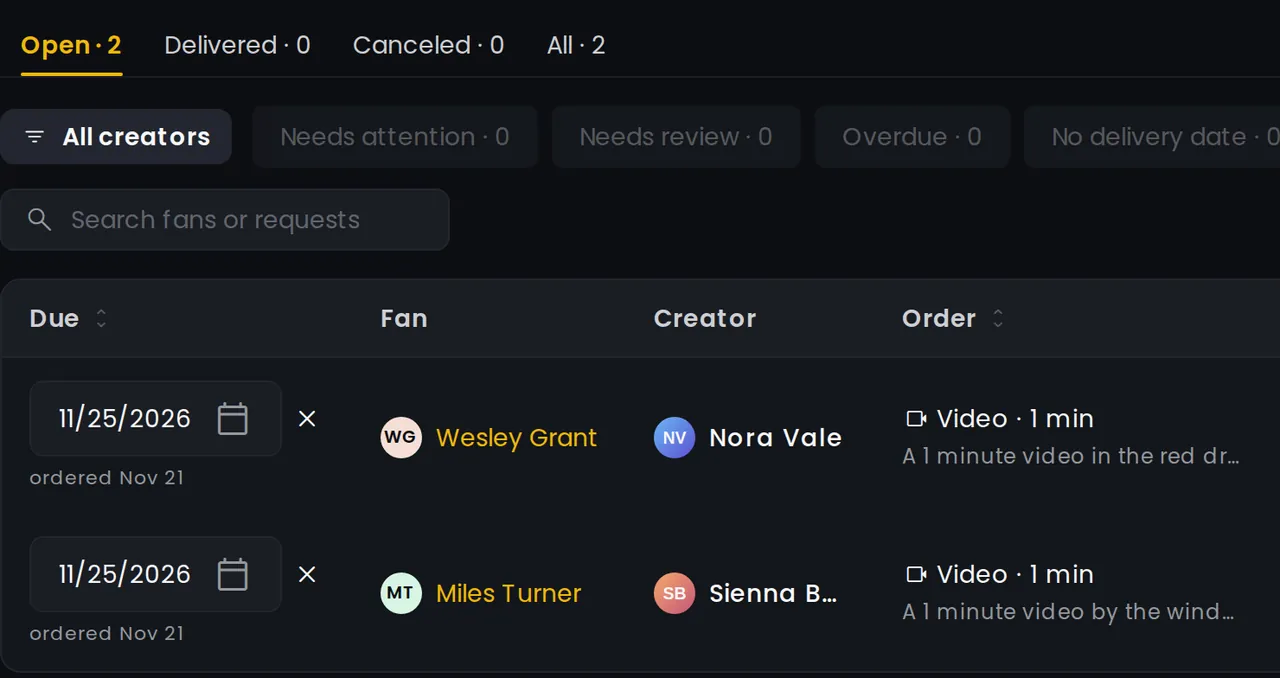
- In the top bar, open Content → Custom content.When Calypso sells a custom in a chat, the order lands in the Open tab.
- Click the order.It opens on the right.
Read the order#
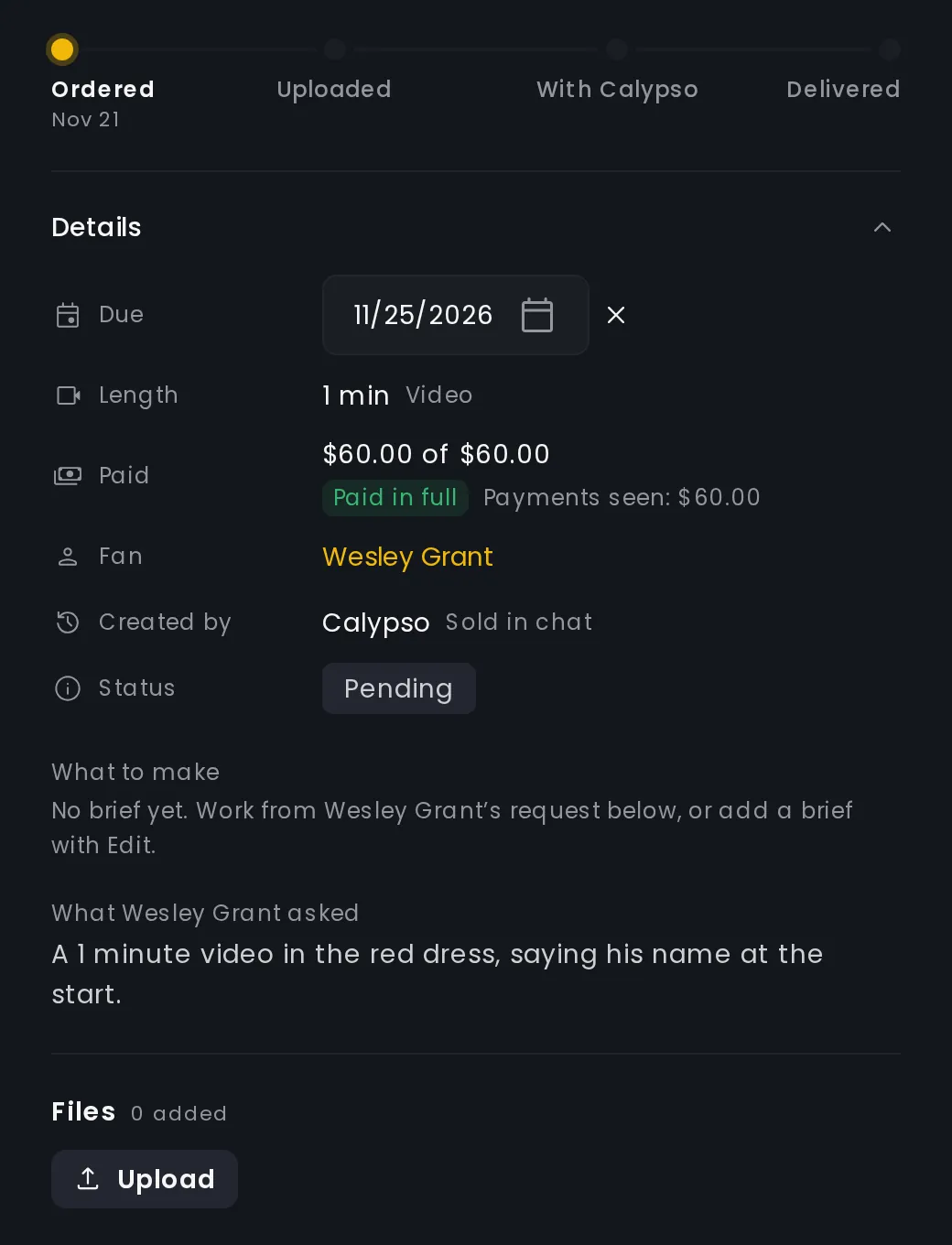
- Check where the order is in the steps at the top.It goes Ordered, Uploaded, With Calypso and Delivered.
- Under Details, check how much has been Paid and what the fan asked for.What to make holds the brief for the creator, if your team added one.
- When the content is ready, click Upload under Files.
Pick the content from her vault#
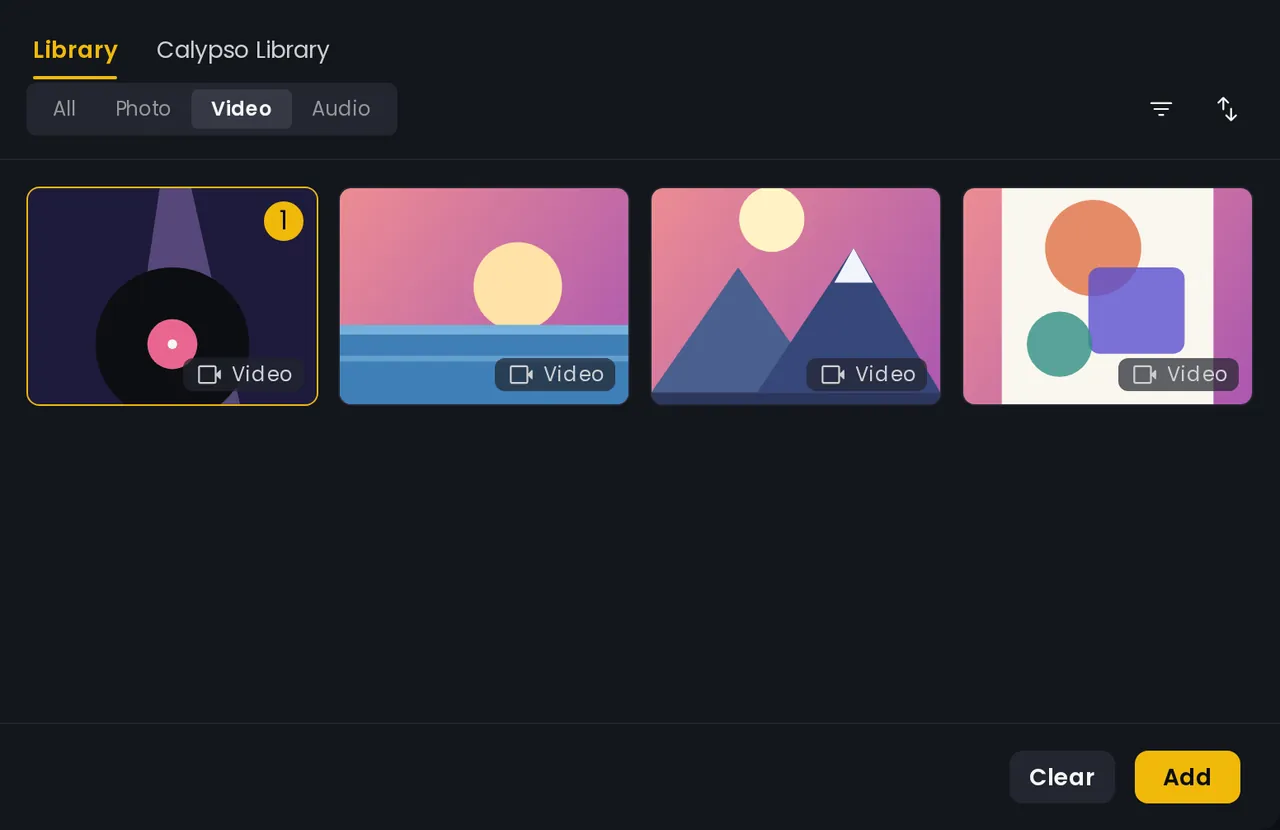
- Click From vault to pick it from her vault.To upload a file instead, click From computer or drop the file there.
- For a video custom, click Video to see only her videos.
- Click Select on the media made for this order.
- Click Add.The media now shows in the order.
Send it to Calypso#
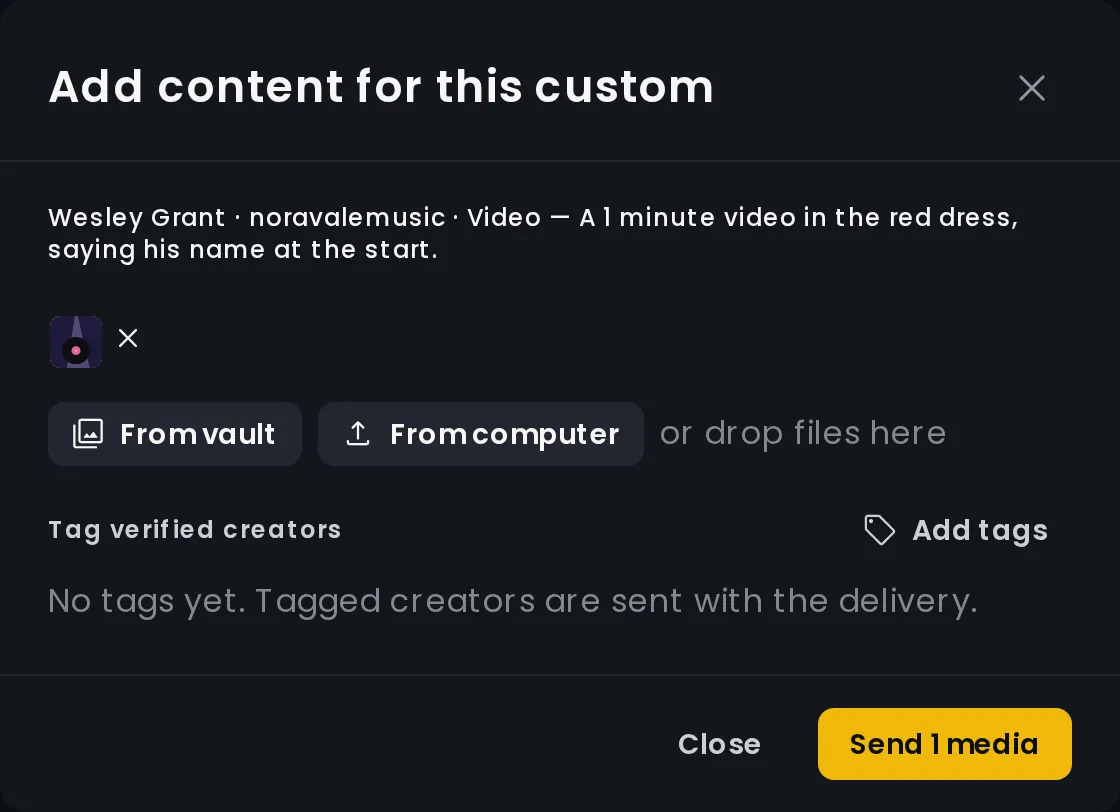
- Click Send 1 media. The button counts the media you added.The order moves to With Calypso and you see Calypso is sending it. It goes out to the fan within 24 hours.
Good to know#
A video custom needs a video at least about as long as the length agreed in the order, and a photo custom needs at least the number of photos agreed.
Calypso sends it in the chat once the fan has been quiet for at least 30 minutes. If it still has not gone out after 24 hours, VENUZ sends it directly.
If the fan paid in full, the content goes out free. If they paid part of it, the content goes out locked, and the fan pays the rest to open it. The fan is never charged twice.
If an order is still not delivered after 48 hours, send it from the chat yourself and mark it as delivered, or cancel it.
Common questions#
Upload is turned off
Calypso is not handling that fan, for example because someone took over the chat. Send the file from the chat instead.
Add more than one photo or video
You can add up to 10 media to one order. The send button counts them.
Cancel an order
Use More actions on the order and Cancel order. Write what happened and whether the fan knows. Calypso reads that note for the next 48 hours. You need the Manage custom content orders permission.
Where to go next
Couldn’t send that. Try again.
Still stuck?
Write to us and a person from the VENUZ team answers. Tell us the creator and what you were trying to do.